
Cohere occupies a specific niche in the AI provider landscape: it is the strongest option for embeddings and reranking in retrieval-augmented generation (RAG) pipelines. While most developers reach for OpenAI or Anthropic for chat, Cohere’s Embed and Rerank models are what power many production search systems behind the scenes. Getting an API key takes about three minutes through dashboard.cohere.com, and Cohere hands you a free trial key on signup with no credit card required.
This guide covers the full process, from account creation through your first API call, plus the details that trip people up: trial key limitations, the CO_API_KEY environment variable convention, current model pricing, and how Cohere fits into a multi-model stack.
Step 1: Create Your Cohere Account
Go to dashboard.cohere.com and click Sign Up. You can register with an email address, Google account, or GitHub.
The signup form asks for your name, organization (optional), and intended use case. Pick the option that best describes your work. Cohere uses this for internal analytics, not to restrict your access.
After confirming your email, you land on the Cohere dashboard. No Google Cloud project, no AWS account, no additional setup required. The dashboard is self-contained.
Step 2: Generate Your API Key
Click API Keys in the left sidebar. Cohere generates a trial key automatically when you create your account, so one is already waiting for you.
To create additional keys, click Create API Key. Name each key after its purpose: dev, staging, production. This is not just good hygiene. If a key leaks, you want to revoke the compromised one without disrupting your other environments.
Copy your key immediately and store it in a password manager or .env file. Cohere does let you view keys again from the dashboard, but building the habit of secure storage from the start saves headaches later.
Step 3: Set Your Key as an Environment Variable
Cohere’s SDKs look for the CO_API_KEY environment variable by default. This catches people who expect COHERE_API_KEY (a reasonable guess, but wrong).
macOS / Linux (Zsh or Bash):
export CO_API_KEY="your-key-here"Add this line to your ~/.zshrc or ~/.bashrc to persist it across terminal sessions.
Windows:
Search for “Environment Variables” in System Settings, create a new user variable named CO_API_KEY, and paste your key as the value.
If you pass the key directly in code using the api_key parameter, that takes precedence over the environment variable. But hardcoding keys in source code is a security risk that bites teams when code gets pushed to a public repo.
Step 4: Verify Your Key Works
Install the Cohere Python SDK (requires Python 3.9+):
pip install cohereRun a quick test:
import cohere

co = cohere.ClientV2()
response = co.chat(
    model="command-r",
    messages=[{"role": "user", "content": "Say hello"}]
)
print(response.message.content[0].text)
If you get a text response, your key is active. If you get an authentication error, double-check that CO_API_KEY is set in your current terminal session (run echo $CO_API_KEY to verify).
For Node.js (v18+):
npm install cohere-aiconst { CohereClientV2 } = require("cohere-ai");
const cohere = new CohereClientV2();
const response = await cohere.chat({
model: "command-r",
messages: [{ role: "user", content: "Say hello" }],
});
console.log(response.message.content[0].text);Cohere also provides SDKs for Go and Java. The full SDK list is at docs.cohere.com.
Trial Keys vs Production Keys
Cohere issues two types of API keys, and the distinction matters more than most developers realize at first.
Trial keys are free and generated automatically on signup. They come with hard limits: 1,000 total API calls per month across all endpoints, and per-minute rate limits that vary by endpoint. Trial keys are explicitly not permitted for commercial or production use.
Production keys require adding a payment method in the billing section of your dashboard. They remove the monthly call cap and substantially increase rate limits.
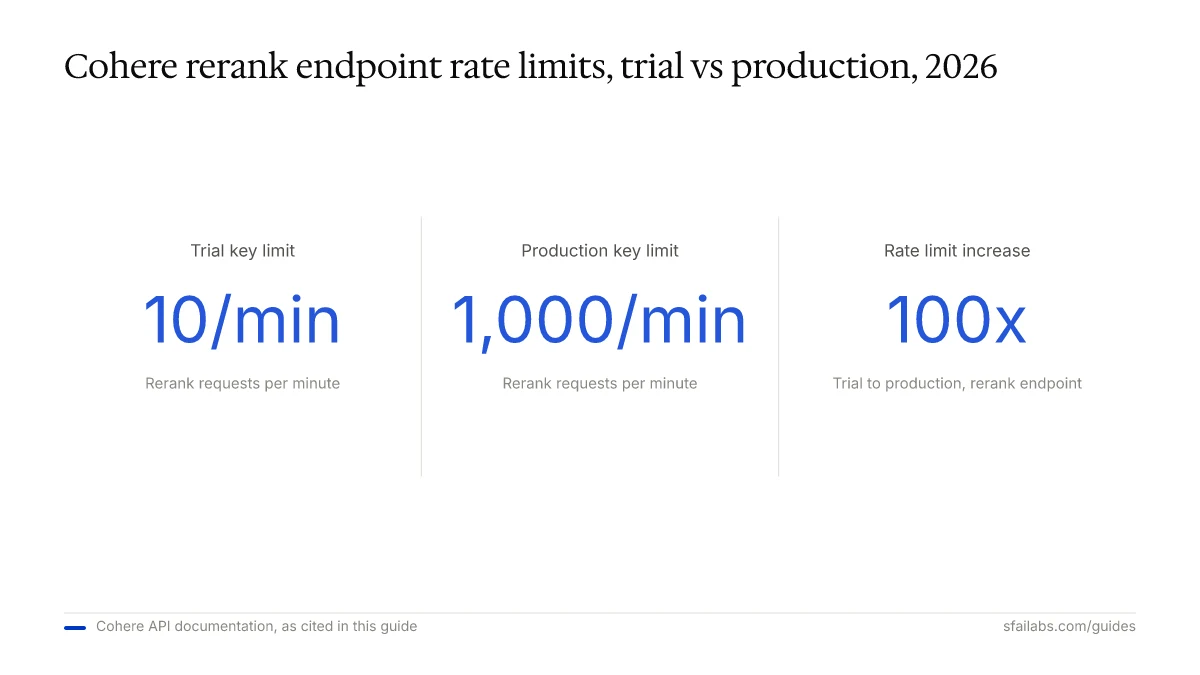
Here are the rate limits that matter most:
| Endpoint | Trial Key | Production Key |
|---|---|---|
| Chat (Command A, R+, R) | 20 req/min | 500 req/min |
| Embed (text) | 2,000 inputs/min | 2,000 inputs/min |
| Embed (images) | 5 inputs/min | 400 inputs/min |
| Rerank | 10 req/min | 1,000 req/min |
The embed text endpoint is the same for both key types, which is generous. But the rerank endpoint jumps from 10 to 1,000 requests per minute on production, a 100x increase. If you are building a search pipeline that reranks results on every query, you will hit the trial limit fast.
Cohere Models and What They Cost
Cohere’s model lineup splits into three categories: generation, embedding, and reranking. Understanding which models exist and what they cost helps you plan before writing a single line of code.
Generation Models (Chat and Text)
| Model | Input Cost | Output Cost | Context |
|---|---|---|---|
| Command A | ~$1.00 / 1M tokens | ~$2.00 / 1M tokens | 256K |
| Command R+ (08-2024) | $2.50 / 1M tokens | $10.00 / 1M tokens | 128K |
| Command R | $0.50 / 1M tokens | $1.50 / 1M tokens | 128K |
| Command R7B | $0.50 / 1M tokens | $1.50 / 1M tokens | 128K |
Embedding and Reranking Models
| Model | Pricing |
|---|---|
| Embed 4 (Small) | $4.00/hour or $2,500/month |
| Embed 4 (Medium) | $5.00/hour or $3,250/month |
| Rerank 4 Pro (Medium) | $5.00/hour or $3,250/month |
| Rerank 4 Fast (Medium) | $5.00/hour or $3,250/month |
The generation models use standard per-token pricing similar to OpenAI and Anthropic. Command R at $0.50 per million input tokens is cheaper than GPT-5.4 and Claude Sonnet 4.6 for basic tasks. Command A competes at the frontier level but costs less than Claude Opus 4.6 or GPT-5.4 (xhigh).
The embed and rerank models use hourly or monthly pricing through Cohere’s Model Vault, which is a different billing model from what most developers expect. This pricing structure is designed for production deployments where you need dedicated throughput.
For prototyping, the trial key with 1,000 free calls per month is enough to build and test a complete RAG pipeline before committing to production costs.
What to Do With Your Key Next
Your Cohere key unlocks three capabilities that work well together: generate text with Command models, create embeddings with Embed models, and rerank search results with Rerank models. Most developers using Cohere in production use at least two of these together.
A common pattern: embed your documents with Embed 4, store the vectors in a database like Pinecone or Weaviate, retrieve candidates on each query, then rerank them with Rerank 4 before feeding the top results to a generation model. This embed-retrieve-rerank pipeline is where Cohere outperforms most alternatives.
If you want an AI agent that works autonomously, connect your key to Openclaw. Openclaw is a personal AI agent that runs locally and connects through Telegram or WhatsApp. It supports multiple model providers, so your Cohere key works alongside OpenAI, Anthropic, and Google keys in a multi-model fallback system. If one provider hits rate limits or goes down, Openclaw routes to the next available model.
We have guides for getting Openclaw running:
- How to Set Up Openclaw: 10-Step Guide covers workspace configuration, memory, and model selection
- Deploy Openclaw on Hostinger VPS for 24/7 uptime without keeping your laptop open
- How to Get Your OpenAI API Key and How to Get Your Anthropic API Key if you want to set up multiple providers
- How to Get Your Google Gemini API Key for adding Google’s models to your stack
Your Cohere API key goes into the environment file, and Openclaw handles model routing from there.
Keeping Your Key Secure
Three rules that prevent most API key incidents:
-
Never commit your key to version control. Add
.envto your.gitignorefile before your first commit. Tools like GitGuardian routinely detect API keys, including Cohere keys, in public repositories. Once a key is in a public commit, automated scrapers find it within minutes. -
Use separate keys for each environment. Cohere lets you create multiple keys from the dashboard. Create one for development, one for staging, one for production. If your dev key leaks from a teammate’s laptop, your production system keeps running while you rotate the compromised key.
-
Monitor your usage in the dashboard. Check your API usage regularly for unexpected spikes. Cohere’s dashboard shows call volume by endpoint. A sudden increase in embed calls when your team is not deploying changes is a signal worth investigating.
Frequently Asked Questions
Is the Cohere API free to use?
Signing up and generating a trial key costs nothing, and no credit card is required. The trial key gives you 1,000 API calls per month across all endpoints. For prototyping an embeddings pipeline or testing reranking quality, the free tier is sufficient. Production workloads require a paid key with per-token or hourly billing depending on the model.
What is the difference between a trial key and a production key?
Trial keys are free, rate-limited, and restricted to non-commercial use. They cap at 1,000 monthly API calls and lower per-minute limits on most endpoints. Production keys require billing setup but remove the monthly cap and increase rate limits dramatically, for example from 10 to 1,000 requests per minute on the Rerank endpoint.
Which Cohere model should I pick for embeddings?
Embed 4 is the current generation. It comes in Small and Medium variants. For most use cases, we recommend starting with Embed 4 Small at $4.00 per hour. It produces high-quality vectors for semantic search and clustering. Use the Medium variant if you need multilingual coverage or higher dimensional embeddings for fine-grained similarity tasks.
How does Cohere pricing compare to OpenAI and Anthropic?
For text generation, Command R at $0.50 per million input tokens is cheaper than GPT-5.4 and Claude Sonnet 4.6. At the frontier level, Command A sits below Claude Opus 4.6 and GPT-5.4 (xhigh) on price. Where Cohere stands apart is embeddings and reranking: Cohere’s Embed and Rerank models are purpose-built for retrieval, while OpenAI and Anthropic treat embeddings as a secondary feature.
Can I use a trial key in production?
No. Cohere’s terms of service explicitly prohibit commercial use of trial keys. Beyond the legal restriction, the 1,000 calls per month and low per-minute rate limits make trial keys impractical for any production traffic. Add a payment method and generate a production key before going live.
Why is my CO_API_KEY environment variable not working?
Three common causes: you set COHERE_API_KEY instead of CO_API_KEY (the SDK expects the latter), you set the variable in a different terminal session than the one running your code, or you forgot to source your shell config after adding the export line. Run echo $CO_API_KEY to verify the variable is set in your current session.
Key Takeaways
- Cohere’s strength is embeddings and reranking for RAG pipelines, not just text generation. If you are building search, Cohere is worth evaluating alongside your chat provider.
- Sign up at dashboard.cohere.com, and a trial key is generated automatically. No credit card required, 1,000 free API calls per month.
- The SDK reads from
CO_API_KEY, notCOHERE_API_KEY. Set the correct environment variable to avoid authentication errors. - Trial keys are capped at 1,000 calls/month and are not permitted for production use. Add billing and generate a production key before going live.
- Connect your Cohere key to Openclaw to use it alongside OpenAI, Anthropic, and Google in a multi-model agent setup.
SFAI Labs


