
Imagine planning a two-week trip to Portugal using nothing but an OpenClaw agent running on a Mac Mini. The agent researches neighborhoods in Lisbon and Porto, tracks TAP Air Portugal fares for three weeks until they drop 22%, builds a day-by-day itinerary matched to weather forecasts, and sends a packing list to Telegram two days before departure. Total human time: about 40 minutes of review spread across three weeks. The rest is cron jobs.
This guide walks through building that exact travel planning agent. You will create six OpenClaw skills, wire them to a scheduling pipeline, and end up with a system that handles destination research, flight and hotel price monitoring, itinerary generation, booking alerts, packing lists, and travel document reminders. If you have a working OpenClaw installation (follow our setup guide if you do not), you can build this in an afternoon.
What a Travel Planning Agent Does
Most “AI travel planning” demos stop at generating an itinerary from a single prompt. That is the easy part. The hard part is the ongoing work: watching prices, adjusting plans when weather forecasts change, reminding you about visa deadlines, and compiling everything into a format you can use at the airport.
An OpenClaw travel agent handles this by splitting the work into discrete skills that run on scheduled heartbeats. Each skill does one job. The cron schedule wires them into a pipeline.
Here is the full pipeline:
- Destination research – web scraping and comparison of neighborhoods, costs, safety, and logistics
- Price monitoring – daily checks on flight and hotel prices with alert thresholds
- Itinerary generation – day-by-day plan built from research data, weather, and your preferences
- Booking alerts – Telegram notifications when prices hit your target or deadlines approach
- Packing list – context-aware list generated from your itinerary, weather, and trip duration
- Document reminders – passport expiration, visa requirements, travel insurance status
Each of these is a skill file in your OpenClaw workspace. The next sections build them one at a time.
Skill 1: Destination Research via Web Scraping
The research skill is the foundation. Before you can monitor prices or generate an itinerary, the agent needs structured data about where you are going.
Create skills/travel-research.md in your OpenClaw workspace:
## Travel Destination Research

When given a destination and travel dates:

1. Search the web for "[destination] travel guide [year]" and extract the top 5 results
2. For each result, capture: neighborhoods to stay in, average hotel prices, public transit options, safety notes, visa requirements for [your nationality]
3. Search "[destination] weather [month]" and extract average temperatures and rainfall
4. Search "[destination] events [month] [year]" for festivals, holidays, or closures
5. Search Reddit for "r/travel [destination]" threads from the past 12 months -- extract top tips and warnings
6. Compile findings into workspace/trips/[destination-slug]/research.md with these sections:
   - Where to stay (ranked neighborhoods with price ranges)
   - Getting around (transit, ride-hailing availability, walkability)
   - Weather and what to expect
   - Events and closures during your dates
   - Visa and entry requirements
   - Community tips from Reddit
   - Estimated daily budget (budget / mid-range / luxury)
Why Reddit Matters
Official travel guides miss the ground truth. Reddit threads surface things like “the metro in Lisbon is reliable but the Carris buses are not” or “avoid Bairro Alto on weekend nights if you are a light sleeper.” These practical details improve your itinerary quality significantly.
Wiring Research to a Cron
When you add a new trip, trigger the research skill manually or via a one-time cron:
openclaw cron add --name "trip-research-portugal" \
  --cron "0 3 * * *" \
  --repeat 1 \
  --session isolated \
  --message "Run the travel-research skill for Lisbon, Portugal. Dates: May 10-24, 2026. Nationality: Dutch. Save output to workspace/trips/portugal-may-2026/research.md"
The --repeat 1 flag means this runs once and removes itself. Research is a one-shot task, not a recurring one.
Skill 2: Flight and Hotel Price Monitoring
Price monitoring is where OpenClaw’s scheduling system pays for itself. Instead of checking Google Flights manually every morning, the agent does it overnight and only bothers you when something changes.
Create skills/price-monitor.md:
## Flight and Hotel Price Monitor

When given a trip folder path (e.g., workspace/trips/portugal-may-2026/):

1. Read the research.md file to get destination and dates
2. Search the web for flights from [origin] to [destination] on [dates]
3. Search for hotels in [preferred neighborhoods from research] for [dates]
4. Compare today's prices against workspace/trips/[slug]/price-history.json
5. If flight price dropped more than 10% from the last check, flag as ALERT
6. If hotel price dropped more than 15%, flag as ALERT
7. Append today's prices to price-history.json with timestamp
8. If any ALERT triggered, send a summary via Telegram with:
   - Current price vs. previous price vs. lowest recorded
   - Direct search URL for the flight/hotel
   - Recommendation: "Book now" if price is within 5% of lowest recorded, "Wait" otherwise

Format the Telegram message as:
✈️ PRICE DROP: [origin] → [destination]
Current: $[price] (was $[previous])
Lowest seen: $[lowest] on [date]
Action: [Book now / Keep watching]
[Search URL]
Setting the Alert Schedule
Flight prices typically update overnight. Run the monitor at 4 AM daily:
openclaw cron add --name "price-monitor-portugal" \
  --cron "0 4 * * *" \
  --session isolated \
  --message "Run the price-monitor skill for workspace/trips/portugal-may-2026/"
How Price History Works
The price-history.json file accumulates data over days or weeks. After a few runs, the agent builds a picture of the price trend. When it tells you “book now,” it is comparing against real data, not guessing.
For example, monitoring Lisbon flights for 19 days could flag a fare at $487 round trip, down from a $624 average. That kind of signal can save $274 on two tickets.
Skill 3: Itinerary Generation
Once research is complete and flights are booked, the agent builds your day-by-day plan. This skill pulls from the research file, weather data, and your stated preferences.
Create skills/itinerary-builder.md:
## Itinerary Builder

When given a trip folder path:

1. Read research.md for destination data, neighborhoods, and transit info
2. Read preferences.md for: pace (relaxed/moderate/packed), interests (food, history, architecture, nature, nightlife), dietary restrictions, mobility notes
3. Fetch current weather forecasts for each day of the trip
4. Build a day-by-day itinerary with:
   - Morning, afternoon, and evening activities
   - Transit directions between activities
   - Restaurant recommendations near each activity (matching dietary preferences)
   - Estimated costs per day
   - Rain contingency plans for outdoor activities
5. Save to workspace/trips/[slug]/itinerary.md
6. Send the itinerary summary to Telegram with a link to the full document

Rules:
- Never schedule more than 3 major activities per day unless pace is "packed"
- Always include one unstructured block per day for wandering or rest
- Cluster activities by neighborhood to minimize transit time
- Flag days where weather forecast shows rain and suggest indoor alternatives
The Preference File
Create workspace/trips/[slug]/preferences.md once. It carries forward across trips:
## Travel Preferences

- Pace: moderate (2-3 activities per day, no alarm clocks)
- Interests: food markets, historic neighborhoods, architecture, wine
- Dietary: no shellfish
- Mobility: comfortable walking 15K+ steps/day
- Budget: mid-range ($150-250/day per person excluding flights/hotel)
- Wake time: 9 AM at earliest
- Avoid: tourist traps, group tours, anything requiring advance tickets more than 1 day out
The agent reads this file and adapts every itinerary accordingly. Change your preferences once and every future trip reflects the update.
Skill 4: Booking Alerts and Deadline Reminders
Beyond price drops, there are time-sensitive events during trip planning: check-in windows, cancellation deadlines, reservation cutoffs, and visa application windows. This skill tracks them.
Create skills/travel-alerts.md:
## Travel Alerts and Deadline Tracker

When given a trip folder path:

1. Read itinerary.md and research.md
2. Check workspace/trips/[slug]/bookings.json for:
   - Flight check-in window (24 hours before departure)
   - Hotel cancellation deadline
   - Restaurant reservations
   - Activity bookings with cancellation policies
3. Check workspace/trips/[slug]/documents.json for:
   - Passport expiration (must be valid 6+ months past return date)
   - Visa application deadline (if applicable)
   - Travel insurance purchase deadline
4. For any deadline within the next 48 hours, send a Telegram alert
5. For passport expiration within 8 months of trip dates, send a WARNING

Format alerts as:
⏰ DEADLINE: [Type]
When: [Date and time]
Action needed: [What to do]
Time remaining: [Hours/days]
The Bookings File
When you book a flight or hotel, tell the agent in your Telegram chat: “Booked TAP Air Portugal, confirmation ABC123, May 10 departure 11:40 AM, free cancellation until April 25.” The agent parses this and appends to bookings.json. From that point forward, it tracks every deadline automatically.
This is a common pattern for OpenClaw workflow skills. You describe a real event in natural language. The agent structures it, stores it, and watches the calendar. For more on this pattern, see our OpenClaw skills development guide.
Skill 5: Context-Aware Packing List
Packing lists are tedious to build manually because they depend on weather, activities, trip length, and personal preferences. The agent already has all this data.
Create skills/packing-list.md:
## Smart Packing List Generator

When given a trip folder path:

1. Read itinerary.md for: trip duration, activities planned, formality level of restaurants/events
2. Fetch weather forecasts for each day
3. Read preferences.md for any special requirements
4. Generate a packing list organized by category:
   - Clothing (matched to weather + activities)
   - Electronics and chargers (include plug adapter type for destination country)
   - Toiletries
   - Documents (passport, printouts, insurance card)
   - Activity-specific gear (hiking shoes if hikes planned, swimwear if beach days)
   - Medications
5. Save to workspace/trips/[slug]/packing-list.md
6. Send to Telegram 48 hours before departure

Rules:
- Check weather range for the trip. If temperature varies more than 10C, include layers
- If any day has rain probability above 50%, include rain jacket and waterproof bag
- Include destination-specific items (e.g., modest clothing for religious sites)
- For trips over 7 days, note laundry options from research.md
Scheduling the Packing List
Set this to run 48 hours before your departure date:
openclaw cron add --name "packing-list-portugal" \
  --cron "0 9 8 5 *" \
  --repeat 1 \
  --session isolated \
  --message "Run the packing-list skill for workspace/trips/portugal-may-2026/. Send result to Telegram."
The cron expression 0 9 8 5 * means May 8 at 9 AM, which is 48 hours before a May 10 departure.
Skill 6: Travel Document Reminders
This skill runs independent of any specific trip. It monitors your documents and alerts you when action is needed.
Create skills/document-checker.md:
## Travel Document Monitor

Run weekly. Check workspace/documents/travel-docs.json for:

1. Passport expiration date — alert if less than 9 months remaining (many countries require 6 months validity; renewal takes 4-8 weeks)
2. Visa status for upcoming trips — alert if visa not yet applied for and trip is within 60 days
3. Travel insurance — alert if trip is within 14 days and no insurance policy recorded
4. Vaccination records — alert if destination requires specific vaccinations not recorded

Send alerts via Telegram with specific action items and deadlines.
Wire it to a weekly cron:
openclaw cron add --name "document-checker" \
  --cron "0 10 * * 1" \
  --session isolated \
  --message "Run the document-checker skill. Check all upcoming trips in workspace/trips/ and cross-reference with workspace/documents/travel-docs.json."
This runs every Monday at 10 AM. Even when you have no trips planned, it keeps an eye on passport expiration.
Putting the Pipeline Together
Here is the complete cron schedule for an active trip:
| Time | Skill | Frequency | Purpose |
|---|---|---|---|
| 3 AM (once) | travel-research | One-shot | Gather destination data |
| 4 AM | price-monitor | Daily | Track flight/hotel prices |
| 10 AM Mon | document-checker | Weekly | Passport, visa, insurance |
| On demand | itinerary-builder | Manual trigger | Build/update day plan |
| 48hr pre-departure | packing-list | One-shot | Generate packing list |
| Ongoing | travel-alerts | Daily (via heartbeat) | Deadline notifications |
For Telegram integration, configure OpenClaw’s messaging in your config.yaml:
messaging:
  telegram:
    bot_token: "${TELEGRAM_BOT_TOKEN}"
    chat_id: "${TELEGRAM_CHAT_ID}"
See our setup guide for detailed Telegram configuration.
What This Costs
The biggest question people ask: how much does it cost to run a personal travel agent on OpenClaw?
For a solo traveler planning 4-6 trips per year, the costs are low. The price monitoring skill makes a few web searches per day. The research and itinerary skills run once or twice per trip. You are not hitting API rate limits or burning through tokens.
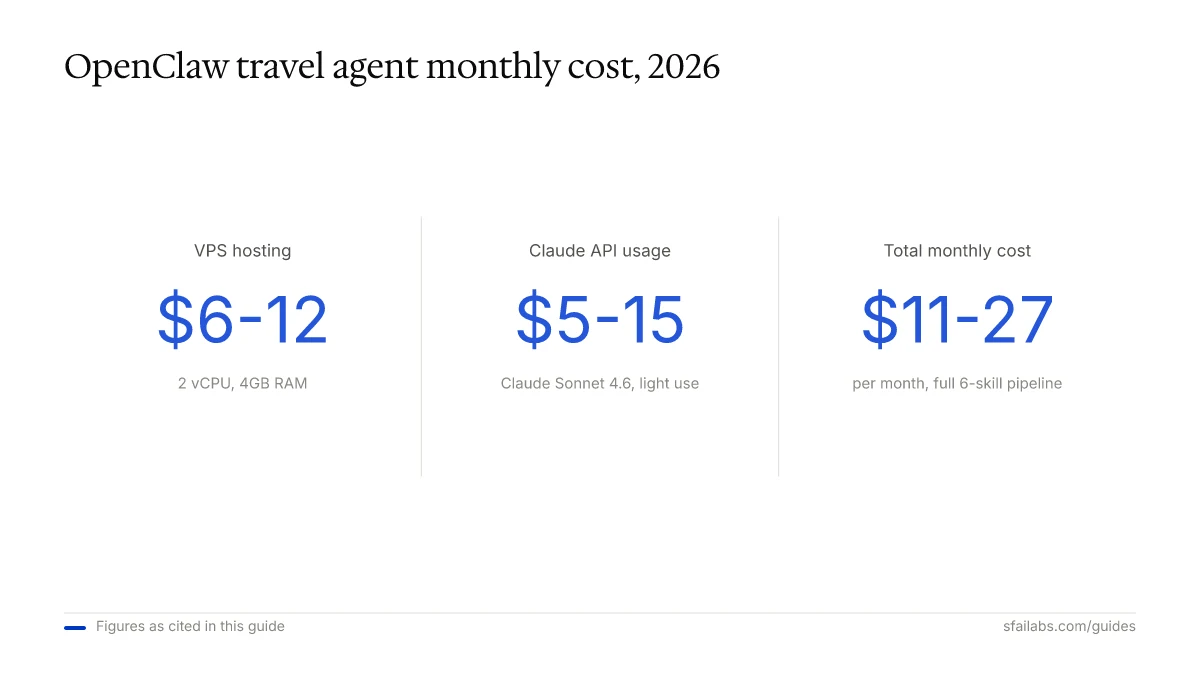
| Component | Monthly cost |
|---|---|
| OpenClaw on a VPS (2 vCPU, 4GB RAM) | $6-12 |
| Claude Sonnet 4.6 API usage (light) | $5-15 |
| Telegram bot | Free |
| Total | $11-27/month |
If you run OpenClaw on a Mac Mini or spare laptop at home, the VPS cost drops to zero. Running OpenClaw on a Mac Mini that also handles a content creation workflow means the marginal cost of adding travel skills is effectively nothing.
Compare that to hiring a travel agent ($50-200 per booking) or spending 8-10 hours manually researching and price-watching for a two-week trip. For more on the cost comparison, see our OpenClaw vs. virtual assistant cost analysis.
Frequently Asked Questions
Can OpenClaw book flights and hotels directly?
Not yet for most platforms. OpenClaw can research, compare, and prepare everything, then send you a direct link to complete the booking with one click. Some platforms with open APIs (like Booking.com’s affiliate API) allow automated booking, but for most airlines and hotel chains, the agent does the legwork and you handle the final payment step. This is a feature, not a limitation, since it keeps you in control of your credit card.
How much does it cost to run a travel planning agent monthly?
Between $11 and $27 per month on a cloud VPS with Claude Sonnet 4.6 as the model. If you self-host on hardware you already own, it drops to $5-15 for API usage alone. The price monitoring skill is the main cost driver since it runs daily web searches.
Can OpenClaw monitor flight prices and send alerts?
Yes. The price-monitor skill searches for flights daily, logs prices to a JSON history file, and sends a Telegram alert when prices drop below your threshold. It tracks the lowest price seen and recommends booking when the current fare is within 5% of that floor.
Does OpenClaw handle visa and passport reminders?
The document-checker skill runs weekly and alerts you if your passport expires within 9 months, if a visa application deadline is approaching, or if travel insurance has not been purchased within 14 days of departure. It requires you to maintain a simple JSON file with your document details.
How does OpenClaw generate packing lists?
The packing-list skill reads your itinerary, checks weather forecasts for each day of the trip, and cross-references your travel preferences. It generates a categorized list including weather-appropriate clothing, destination-specific items (like plug adapters and modest attire for religious sites), and activity-specific gear. It sends the list to Telegram 48 hours before departure.
What AI models work best for travel research?
Claude Sonnet 4.6 is recommended for skill execution and itinerary generation because it handles long context well and produces structured outputs reliably. For bulk web searches during the research phase, Gemini 3.1 Pro is cheaper per query. You can configure OpenClaw to route different skills to different models using multi-model configuration.
How long does it take to set up a travel planning agent?
About 1-2 hours for the full pipeline with all six skills and cron jobs. If you already have OpenClaw installed with Telegram configured, the skill files themselves take 30 minutes to create. The rest is testing and adjusting preferences.
Can I use this setup for group trips?
Yes. Share the Telegram channel with your travel group. The agent sends alerts and itineraries to the shared channel. Each person can maintain their own packing-list preferences, and the agent generates individual lists. For group coordination, add a shared preferences.md with consensus items (pace, budget range, interests).
Key Takeaways
- An OpenClaw travel agent is six skills and a handful of cron jobs. Each skill handles one stage of the planning pipeline: research, price monitoring, itinerary, alerts, packing, and documents.
- Price monitoring is the highest-value skill. Automated daily fare tracking with Telegram alerts removes the most tedious part of trip planning. It can save hundreds of dollars on a single booking by catching significant fare drops.
- The preference file is your travel personality stored once and reused across every trip. Change it once and every future itinerary reflects the update.
- Total cost for a personal setup is $11-27 per month, or effectively free if you self-host on existing hardware.
SFAI Labs


