Quick verdict: Flowise is the stronger choice for teams that want enterprise-grade features, multi-agent orchestration, and deep customization on a Node.js stack. Langflow is better for Python developers who want fast prototyping, source code access to every component, and a gentler onboarding experience. Neither is universally better. Your tech stack and project complexity should drive the decision.
| Flowise | Langflow | |
|---|---|---|
| Best for | Enterprise workflows, multi-agent systems | Fast prototyping, Python-native teams |
| Tech stack | Node.js / TypeScript | Python |
| Integrations | 100+ models and vector databases | LangChain ecosystem + any LLM/vector store |
| GitHub stars | ~50,800 | ~146,000 |
| License | Apache 2.0 | MIT |
| Cloud pricing | Free / $35 / $65 / Enterprise | Free open-source (infrastructure costs vary) |
How Flowise and Langflow Compare
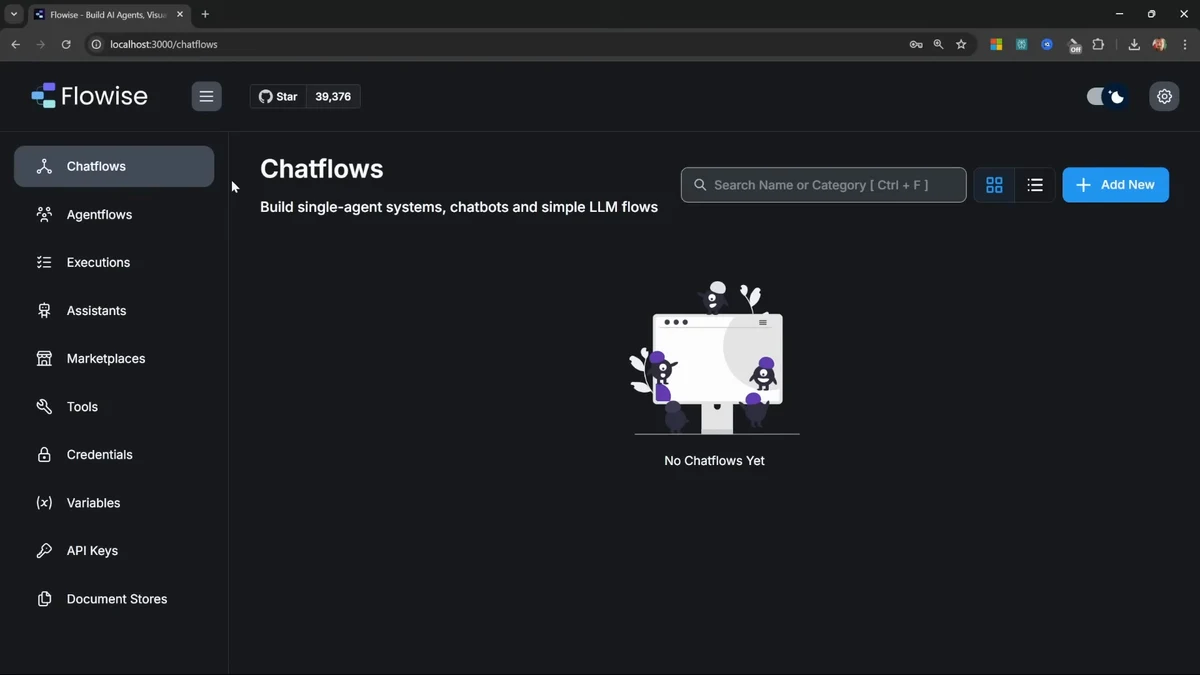
Flowise is an open-source visual AI platform built on Node.js. It ships three builder interfaces: Assistant mode for beginners, Chatflow for single-agent systems, and Agentflow for multi-agent orchestration. Version 3.1.0, released in March 2026, added an AgentFlow SDK, LangChain v1 migration, and HTTP security checks enabled by default.
Langflow is a Python-based visual builder maintained by DataStax (now part of IBM). It wraps the LangChain framework in a drag-and-drop editor where every component exposes its Python source code. Version 1.8, also released in March 2026, introduced global model provider configuration, a V2 Workflow API, and MCP server/client support.
The core difference is architectural: Flowise gives you depth through configuration and pre-built integrations. Langflow gives you depth through code access and Python flexibility. We’ve prototyped with both on client projects, and the deciding factor is almost always what language your team already works in. If you’re still deciding between visual builders and writing custom code, start with a visual tool for prototyping and graduate to code when you need production control.
Feature Comparison
| Feature | Flowise | Langflow |
|---|---|---|
| Visual drag-and-drop editor | Three modes (Assistant, Chatflow, Agentflow) | Single canvas with component library |
| Model support | 100+ LLMs and vector databases | Any LLM or vector store via LangChain |
| Custom components | JavaScript/TypeScript custom nodes | Full Python source code access |
| Multi-agent orchestration | Agentflow with branching, looping, routing | Supported through agent components |
| MCP (Model Context Protocol) | Not yet supported | Server and client support (v1.8) |
| API deployment | REST APIs with built-in server | API endpoints, Python export, MCP servers |
| Embedded chat widget | Customizable chat embed | Supported |
| Template marketplace | Yes, with guided templates | Growing template library |
| Observability | Execution logs, visual debugging | LangSmith and LangFuse integration |
| Enterprise features | RBAC (role-based access), SSO, rate limiting, audit logs | Via DataStax platform |
Feature winner: Flowise for teams that need enterprise features out of the box. Langflow for teams that want code-level control and Python ecosystem integration.
Ease of Use
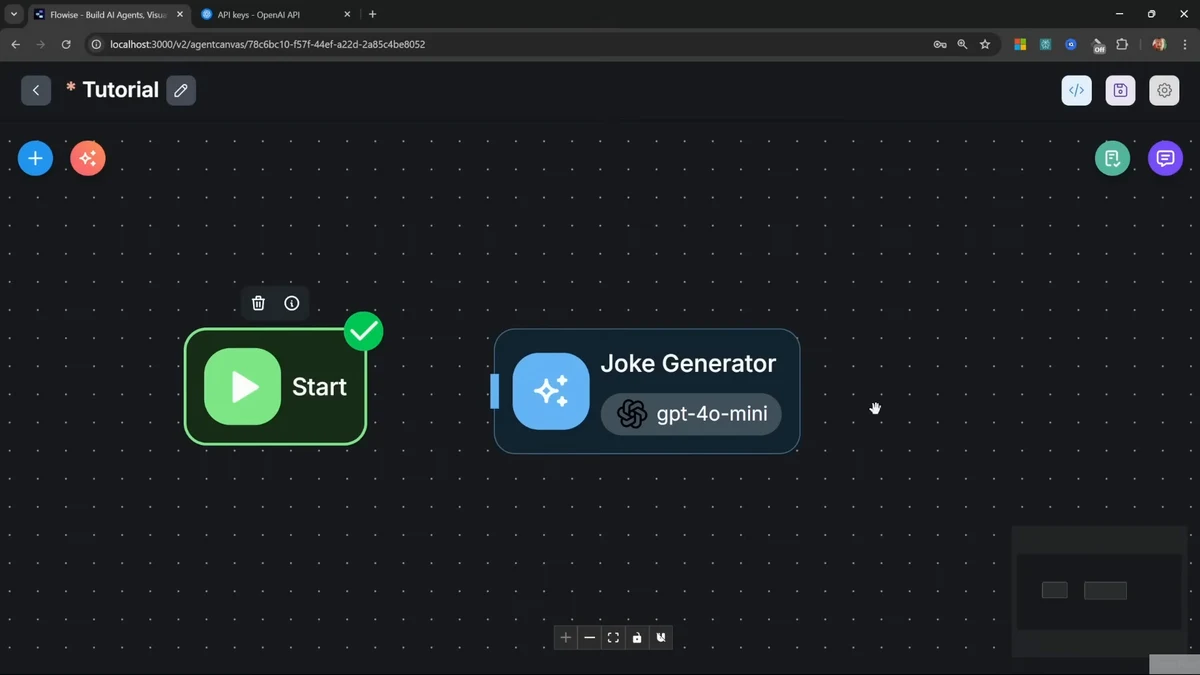
Flowise’s three-tier builder approach means beginners can start in Assistant mode and graduate to Chatflow and Agentflow as needs grow. The template marketplace offers ready-made workflows for common patterns like RAG chatbots and document analysis. The tradeoff: the interface can feel busy when you’re working in Agentflow mode with complex branching logic.
Langflow’s single-canvas approach is cleaner but assumes you understand concepts like embeddings, retrievers, and agent patterns. The Playground lets you test components in isolation, which is useful for debugging. Where Langflow pulls ahead is transparency: you can inspect and modify the Python source of any component without leaving the interface.
In our experience, non-technical users get productive faster with Flowise’s Assistant mode. Developers who already know Python and LangChain prefer Langflow because they can read the code behind every node. For workflow automation that sits between these tools and full code, n8n and Make are worth evaluating.
Pricing
| Flowise | Langflow | |
|---|---|---|
| Open source | Yes (Apache 2.0) | Yes (MIT) |
| Free tier | 2 flows, 100 predictions/month | Unlimited (self-hosted) |
| Starter | $35/month (unlimited flows, 10K predictions) | N/A |
| Pro | $65/month (50K predictions, 5 users, RBAC) | N/A |
| Enterprise | Custom (SSO, audit logs, air-gapped) | Via DataStax enterprise platform |
| Self-hosting cost | Free | Free |
| Typical infrastructure | Node.js server ($5-50/month) | Python server ($24-100/month) |
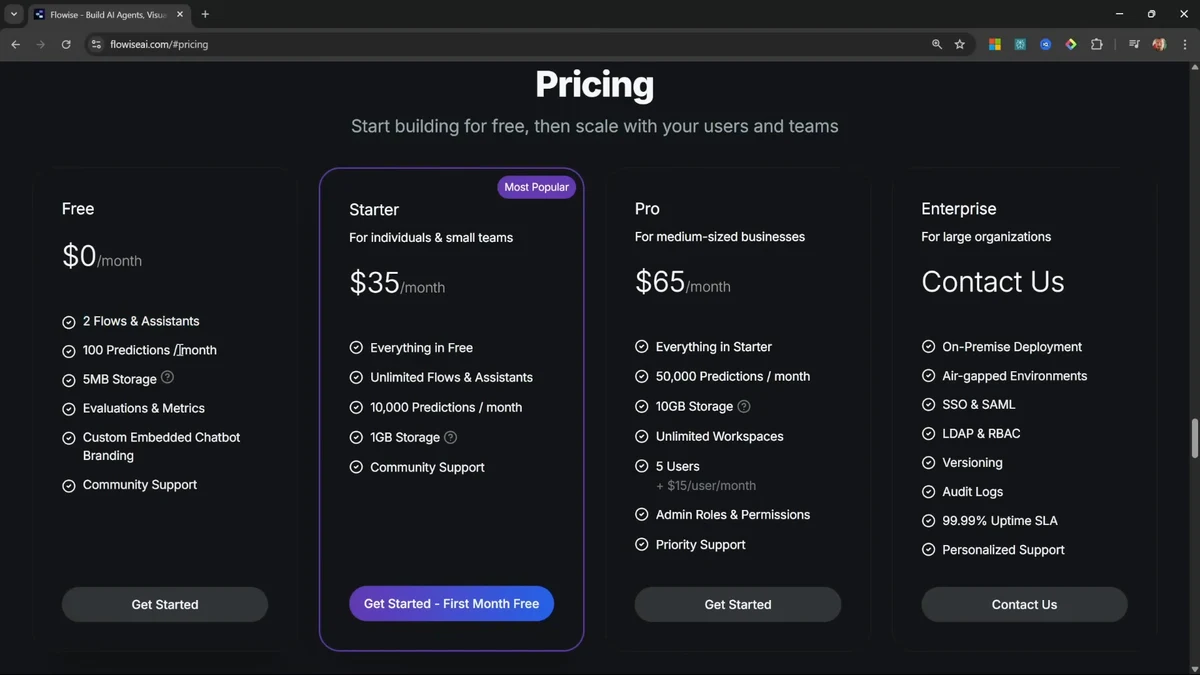
Flowise offers managed cloud hosting with predictable per-plan pricing. Langflow is free software, but you own the infrastructure bill: hosting, LLM API costs, and vector database fees. For a small production deployment, expect $30-100/month in infrastructure for either tool, with LLM API usage as the largest variable cost.
Better value: Flowise Cloud if you want managed hosting with minimal DevOps. Self-hosted Langflow if you already run Python infrastructure and want to avoid per-seat licensing.
Community and Ecosystem
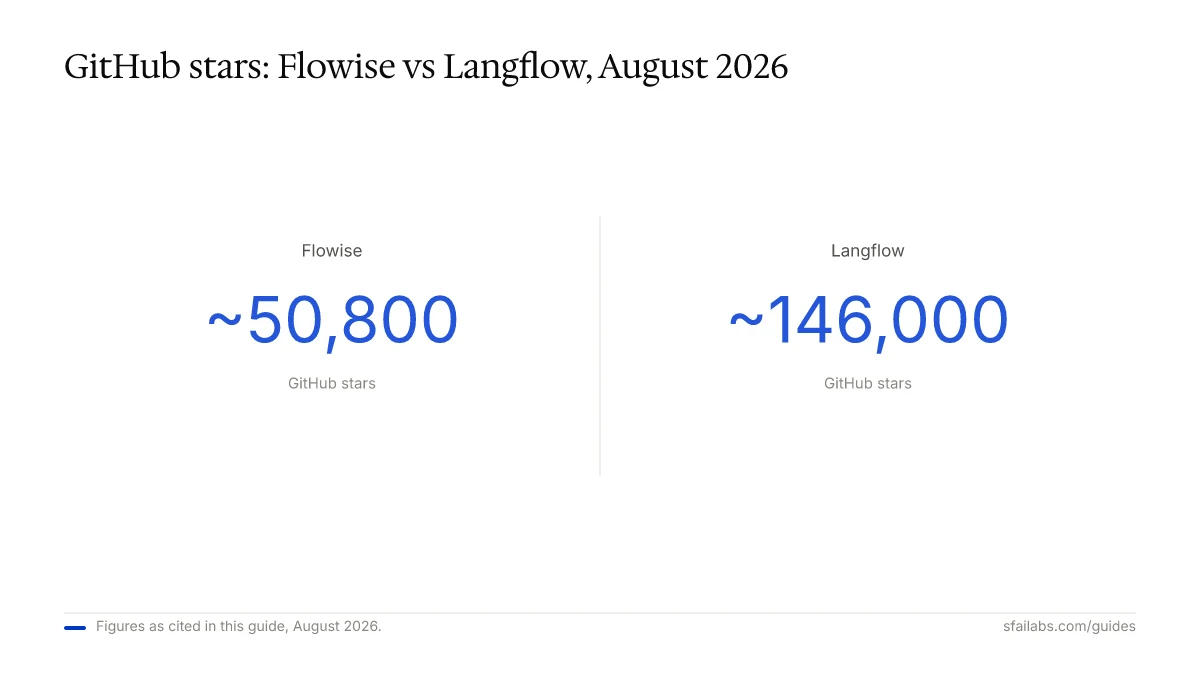
Langflow has nearly three times the GitHub stars (~146,000 vs ~50,800), partly because of LangChain’s massive developer community and the DataStax/IBM backing. Flowise has 300+ contributors and 24,000 forks, signaling strong developer engagement relative to its star count.
Both projects ship updates regularly. Flowise released v3.1.0 on March 16, 2026. Langflow shipped v1.8 in March 2026. Active development means both tools evolve fast, but it also means breaking changes happen. Pin your versions in production.
Frequently Asked Questions
Is Flowise or Langflow easier for someone with no coding experience?
Flowise. Its Assistant mode walks you through building a chat agent with uploaded documents and instructions, no code required. Langflow’s interface is clean, but it expects familiarity with AI concepts like retrievers and embeddings. A non-developer can ship a basic Flowise chatbot in under 30 minutes.
Can I run either tool in production?
Both support production deployments. Flowise offers built-in RBAC, SSO, rate limiting, and managed cloud hosting. Langflow deploys as API endpoints or Python applications, with observability through LangSmith and LangFuse. The production question is less “can I” and more “should I build infrastructure around it.” For customer-facing applications with strict SLA requirements, evaluate whether a visual builder’s abstraction layer adds risk you’re not comfortable with.
How much does it cost to run Flowise vs Langflow?
Flowise Cloud starts at $35/month for unlimited flows and 10,000 predictions. Langflow is free to install, but you’ll spend $24-100/month on hosting plus LLM API costs. Self-hosting either tool is free. The real cost driver for both is LLM API usage, not the platform itself.
Do I need Python or JavaScript experience?
Flowise runs on Node.js, so custom components use JavaScript/TypeScript. Langflow is Python-native, and you can modify the source code of any component. If your team writes Python, Langflow will feel natural. If you’re a JavaScript shop, Flowise fits your stack. For basic usage without custom components, neither requires coding.
Which supports more AI models and integrations?
Flowise advertises 100+ integrations with LLMs and vector databases. Langflow connects to anything LangChain supports, which is broad. In practice, both work with OpenAI, Anthropic, Google, Ollama, Pinecone, Weaviate, Chroma, and most popular providers. Flowise has more pre-built connector nodes; Langflow lets you write custom Python to connect anything. If framework choice matters to you, see our LangChain vs LlamaIndex comparison for more context on the underlying ecosystems.
Can I build multi-agent workflows with both?
Flowise has a dedicated Agentflow builder designed for multi-agent orchestration with branching, looping, and routing. The new AgentFlow SDK (v3.1.0) extends this further. Langflow supports multi-agent patterns through its agent components and recently added MCP server capabilities, which allow flows to act as tools for other agents. Flowise has the edge here for complex multi-agent systems.
What happened with Langflow being acquired?
DataStax acquired Langflow in 2024 and is now itself being acquired by IBM. Langflow remains open-source under the MIT license. The IBM backing means more enterprise resources, but it also means the project’s direction could shift toward IBM’s watsonx ecosystem. For now, the open-source version is unaffected.
How do Flowise and Langflow handle security?
Flowise v3.1.0 enabled HTTP security checks by default, blocking requests to localhost and internal domains to prevent SSRF (server-side request forgery) attacks. Enterprise features include encrypted credentials, RBAC, and domain restrictions. Langflow relies on DataStax’s enterprise platform for SSO and access controls. Both support Docker deployment for isolated environments, and Flowise offers air-gapped deployment for regulated industries.
Key Takeaways
- Choose Flowise if you need enterprise features, multi-agent orchestration, or your team runs JavaScript/TypeScript
- Choose Langflow if you want Python source code access, fast prototyping, or you’re already in the LangChain ecosystem
- Both are actively maintained with major releases in March 2026
- Pricing differs structurally: Flowise offers managed cloud plans; Langflow is free software with DIY infrastructure
- For production workloads, evaluate whether a visual builder’s abstraction layer matches your reliability requirements
- Looking for more options? See our roundup of the best no-code AI tools and AI development frameworks
SFAI Labs


