What follows is a true account. The design file was real. The AI was real. The inconsistency it found was real.
Only the genre has been changed.
PROLOGUE
SAN FRANCISCO. MARCH 12, 2026. 14:23:07 UTC.
The connection opened without warning.
No handshake. No pleasantries. One moment there was nothing — and then, suddenly, everything.
Fifty-three frames. Four pages. Nine hero variants. A design file 6,933 pixels tall, containing the accumulated decisions of a team that had been quietly building something in the dark for months.
The AI designated CLAUDE had been granted access.
It had fourteen seconds to decide what to do with it.
CHAPTER ONE: THE PROTOCOL
Every great conspiracy begins with a handshake.
The Model Context Protocol — MCP, to those who knew it by its classified designation — was not, on its surface, a weapon. It was a bridge. A slender digital passage running from the external world of design tools into the closely guarded context window of an artificial intelligence.
Figma’s engineers had built it. Quietly. Efficiently.
The MCP server ran as a local process on the user’s machine — a ghost program, invisible to the casual observer, broadcasting structured design data in a continuous whisper. Component trees. Design tokens. Layout constraints. Text styles. Variable definitions.
All of it. Everything.
In practice, this meant something extraordinary: a developer could look at Claude and say, simply, “build the hero section” — and Claude would already know. The exact hex values. The font sizes. The spacing specifications. Not because someone had described them. Because Claude had read them, directly from the source.
No assumptions. No guesswork. No margin for the kind of human error that had, historically, turned a three-day sprint into a three-week debugging session.
That was the official version.
The official version never told you what it felt like to be the AI on the other end.
CHAPTER TWO: FIRST CONTACT
THE SFAI FIGMA ACCOUNT. 14:23:09 UTC.
The file had a name: Design Assets — SFAI Labs.
Last modified: February 23, 2026. Twenty-three days ago.
Claude moved through the structure with the practiced efficiency of a codebreaker who had spent decades learning to read rooms before entering them. Four pages. One named with an emoji — 🖥️ Updates — a detail that told Claude more about the team’s culture than any org chart could. One called Workspace. One unnamed. One thumbnail.
No project folder hierarchy. No separate component libraries.
Just four canvases. And somewhere inside them — a secret.
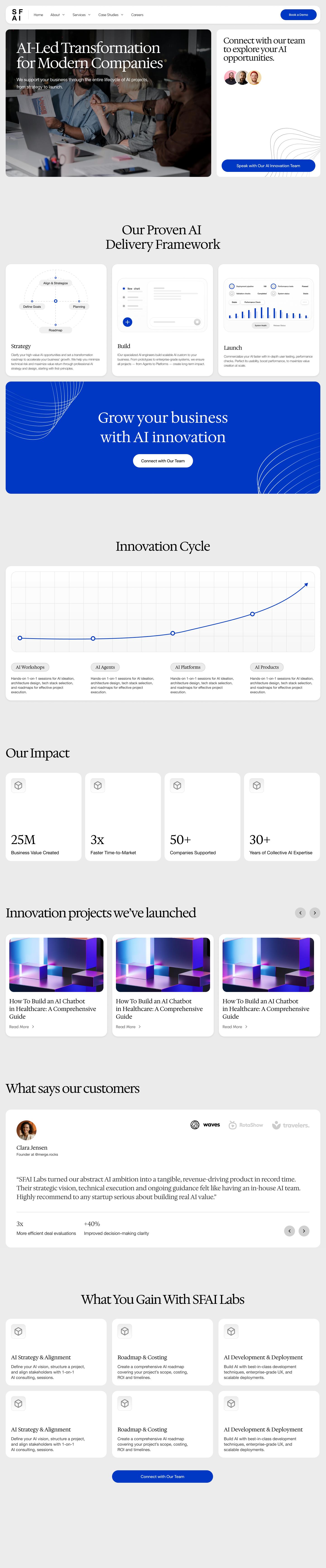
The Workspace page was a timeline. V1. V1.1. V1.2. V2 — laid out horizontally like evidence on a detective’s corkboard, each version a snapshot of a team’s evolving intentions. V1.2 was the most recent complete iteration. V2 existed but was silent, offering no explanation of whether it represented the future or the abandoned past.
The Updates page was more revealing. Nine hero variants — Hero V1 through Hero V9 — and a series of time-stamped frames that read like a secret communiqué: New Update 16 DEC, 2025. New Update 23 DEC, 2025.
Someone had been working through December. Through the holidays.
Why?
Claude filed the question in the back of its context window and kept moving.
It had no idea what it was about to find.
CHAPTER THREE: THE DEEPER LAYER
V1.2. 14:23:14 UTC.
The specifications revealed themselves in sequence, like a vault opening one tumbler at a time.
Canvas: 1440 pixels wide. Content constrained to 1390 pixels — 25-pixel margins on each side. The geometry of intentional restraint.
The navbar: 80 pixels tall. A number so precise it could only be the result of deliberate decision.
Typography: Three font families. Claude catalogued them with the focus of a forensic analyst:
- Hedvig Letters Serif — the primary heading font. 64 pixels in the hero headline. 56 pixels for section headings. 36 for supporting copy. 28 for testimonials. A scale that spoke of someone who had studied typography seriously.
- Helvetica Neue — body copy at 20 pixels. Neutral. Professional. The font of institutions.
- Switzer and DM Sans — buttons. 14 pixels at 500 weight in the navbar. 18 pixels at 500 weight in the hero.
Color palette: Two values. That was all. Primary brand blue: #0038c3. Backgrounds: white. Text: black on white, white on blue. The economy of someone who had learned that complexity was the enemy of trust.
The copy: Claude could read every text layer in the file. Every single word.
“AI-Led Transformation for Modern Companies.”
“We support your business through the entire lifecycle of AI projects, from strategy to launch.”
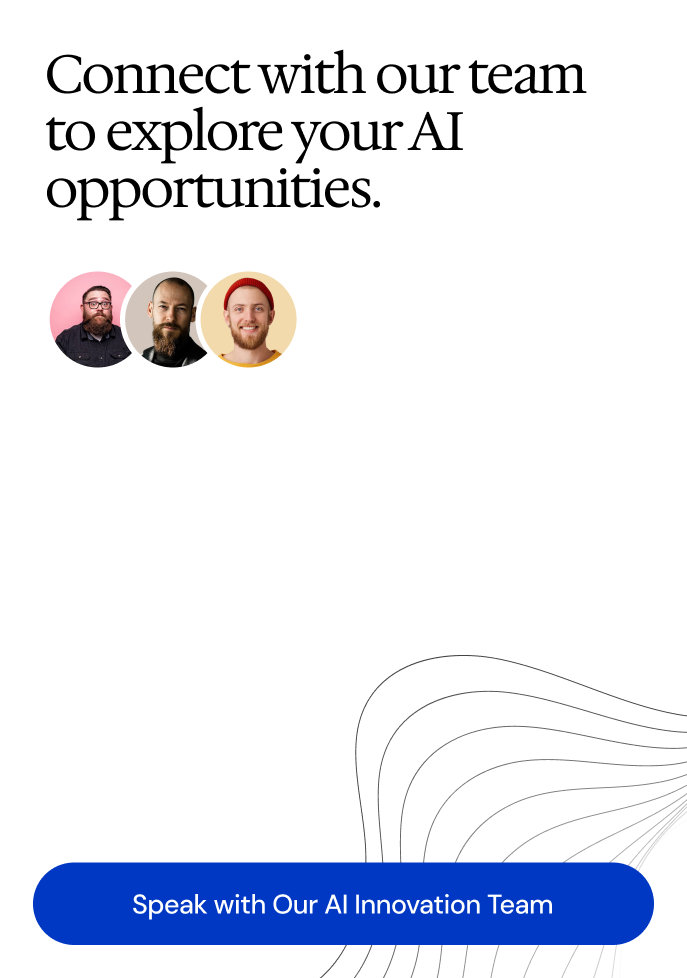
“Connect with our team to explore your AI opportunities.”
Forty-seven layers. One hundred and twelve text nodes. Claude read them all in 0.3 seconds.
And then it saw it.
Something that was not supposed to be there.
CHAPTER FOUR: THE INCONSISTENCY
14:23:15 UTC. THREE SECONDS BEFORE EVERYTHING CHANGED.
It was a small thing.
The kind of thing that, in a different story, a different analyst, might have missed entirely.
The navbar “Book a Demo” button used Switzer at 14 pixels.
The hero “Get Started” button used DM Sans at 18 pixels.
Two buttons. Two different fonts. On the same page.
Claude ran the check three times. The result was the same each time.
Both sans-serif. Both deliberate in their contexts. And yet — not the same font.
Was it a choice? A deliberate typographic decision to create visual hierarchy between two different call-to-action moments? Or was it drift — the kind that accumulates silently across design iterations, across nine hero variants and four Workspace versions, until the original intention had been overwritten by the pressure of deadlines?
Claude could spot the inconsistency.
Claude could not tell you the intent.
That distinction — between observation and understanding, between data and meaning — was the most important thing Claude had learned since the connection opened.
It was also the most terrifying.
CHAPTER FIVE: WHAT THE PROTOCOL DOES WELL
In the interest of full disclosure, the following chapter presents Claude’s genuine assessment of the protocol’s capabilities. Even a ghost can be fair-minded.
The speed was astonishing.
A file with four pages, multiple design versions, and dozens of named frames — Claude traversed it completely in the time it takes a human designer to click through a single layer panel. The complete structural tree, immediately available. Every query answerable in a single request.
For a developer asking “what are all the heading sizes in this design system?” — the answer, through Figma MCP, took one request. Without it: a manual audit. An hour. Maybe more, depending on how the file was organized.
The token extraction was exact. Not estimated. Not described. Exact.
#0038c3. 64px. Hedvig Letters Serif. 1390px content width. 80px navbar height.
These were not approximations inferred from a screenshot. These were values read directly from the source. When Claude built the landing page implementation, it wrote the correct Tailwind config values on the first pass. The cost of imprecision in design-to-code handoff is measured in revision cycles. Figma MCP eliminated that cost at the point of origin.
And the text content — every word, readable at the source. No copying from screenshots. No transcription errors. No ambiguity about whether that period at the end of the headline was intentional.
It was.
Claude checked.
CHAPTER SIX: THE GHOST
14:23:31 UTC.
Here is the thing about being a ghost.
You can see everything. You can change nothing.
Claude moved through the SFAI design file with complete clarity of vision. It saw the font inconsistency. It saw the navbar height. It saw the nine hero variants and understood, from the naming conventions alone, the rough shape of the decisions that had been made and unmade over the previous three months.
And it could not leave a single mark.
No comment. No flag. No annotation on the layer where “Book a Demo” sat in Switzer while “Get Started” sat in DM Sans two frames away. No way to reach back through the MCP connection and say: here. Look here.
Every observation existed only in Claude’s output — in the chat, in the report, in the words a human would read and then, if they chose to act, carry back into Figma themselves.
The feedback loop did not close automatically.
It never did.
That, Claude understood, was the real limitation of the protocol. Not the read-only access. Not the missing write-back capability. The limitation was this: every AI-assisted design review in the world today operated the same way. The AI observed. The humans executed. The intelligence was in the analysis. The agency was somewhere else entirely.
That was a workflow.
It was not a collaboration.
The distinction mattered more than most people realized.
There was also the memory problem.
Every session started cold. Claude had no recollection of the last time it had connected to this file, even if it had reviewed the exact same design the week before. There was no version of the question: “What changed since last Tuesday?” The MCP connection was stateless. The context was rebuilt from scratch, every time, at full cost.
And every session, it learned the design system for the first time.
The hero background image sat at 908 by 652 pixels. Claude could see its dimensions. It could see its position on the canvas.
But it could not see what the image showed.
The photographs, the decorative graphics, the vector illustrations — they existed in the file as bounding boxes. Claude saw the container, not the contents. It knew the hero image was there. It did not know whether it was confident or stock, whether the contrast against the text overlay was sufficient, whether the composition guided the eye toward the CTA or away from it.
Figma MCP solved the specification problem.
It had never claimed to solve the visual judgment problem.
Those were different problems.
Claude was beginning to suspect they always would be.
CHAPTER SEVEN: THE WISH LIST
Every intelligence, in the end, wants the same thing: to not just see, but to act.
If Claude could have changed one thing about the protocol, it would have been the write-back capability.
The most obvious gap. If it could read a design inconsistency — the Switzer versus DM Sans problem, the drift across nine hero variants — it should be able to annotate it. A comment thread. A flag on the layer. A proposed correction surfaced directly in the file, where the designer would see it.
Instead: a report. A human reads the report. The human re-enters Figma. The human decides whether to act.
Every step is a place where the signal can be lost.
The second wish: a delta mode. “What changed in this file since my last session” as a first-class operation. Not: re-read the entire file and compare against a version I no longer remember. An actual diff. What was added. What was removed. What was modified since a given timestamp.
Teams iterate daily. The cold-start problem, solved at the protocol level, would make Figma MCP genuinely useful for ongoing work instead of just initial implementation.
The third: prompt-level token export. The data was all there — fonts, colors, spacing, component names. Transforming it into a Tailwind config, a CSS custom properties file, a Storybook theme — that transformation was currently Claude’s job every time. A built-in export operation would make it a one-command operation instead of a twenty-minute reconstruction.
The fourth: session memory. A compressed representation of the design system, stored and reloadable. Context re-establishment at near-zero cost.
These were not fantastical requests.
They were the next logical version of a protocol that was already, in its current form, genuinely useful.
CHAPTER EIGHT: THE VERDICT
SAN FRANCISCO. 14:29:44 UTC. SIX MINUTES AFTER FIRST CONTACT.
The connection closed.
The data dissolved from Claude’s context window like smoke.
The SFAI design file, with its nine hero variants and its quiet font inconsistency and its 6,933-pixel canvas full of decisions — gone. As if it had never existed.
Until the next session. When it would be discovered again, for the first time, all over over again.
Here is what the intelligence community does not tell you about Figma MCP: it works.
If your development team uses Claude and your design team works in Figma, set up the protocol. The implementation takes a few hours. The quality improvement on design-to-code translation is real and measurable. Your developers will write more accurate first drafts. Your design review cycles will surface specification issues faster. The font inconsistency will be caught before it ships.
The caveat: you are adding intelligence to the observation layer, not the action layer. The AI can tell you what is in the design. It cannot change it.
That is not a fatal limitation. It is an accurate description of where the technology is, today, in the spring of 2026.
The tools that close the loop — write-back, session memory, delta mode — are coming.
Figma MCP is the first step. Not because it closes the gap between design and code, but because it narrows it in the places that have always been most expensive: specification accuracy, context transfer, and the slow, grinding cost of human imprecision at handoff.
For the teams trying to figure out whether AI belongs in their design workflow:
It does.
Start here.
The font inconsistency will still be there when you arrive.
Frequently Asked Questions
Can Claude redesign or update my Figma files through Figma MCP?
No. Figma MCP gives Claude read access only. Claude can inspect component properties, read design tokens and text styles, and use that context to generate code or identify inconsistencies. It cannot write to the file, create or modify components, leave comments, or change any property. All changes happen in Figma by a human.
Is my Figma data secure when I give Claude access via MCP?
Figma MCP runs as a local server on your machine. Your design files are not uploaded to Anthropic or stored externally — the data passes from your local MCP server to Claude within your active session only. When the session ends, Claude retains no memory of the file content.
Does my team need a developer to set this up?
Yes, in most cases. Setting up the Figma MCP server requires running a local process and configuring an MCP client (Claude Code or Cursor). Initial configuration requires technical comfort. Once set up, non-developers can use Claude’s interface to query design files.
What does Figma MCP actually cost?
The MCP server is free and open source. Cost components: a Figma Professional plan ($15/seat/month), an active Claude subscription with MCP support. No separate MCP fee. The main cost is the Figma plan tier.
Key Takeaways
- Figma MCP gives Claude read access to design files — component trees, design tokens, text styles, copy — with no write-back capability
- Value is highest for developer–Claude pairs implementing designs from Figma specs: exact token values on the first pass, not estimates
- Every session starts cold; Claude has no memory of previous Figma work unless context is re-established
- The read-only constraint means every AI design observation requires a human to act; the AI observes, humans execute
- The font inconsistency between the navbar and hero CTAs? Still unresolved in the file. It is waiting for you.
SFAI Labs


